
Connect Odoo. Automate EDI. Automate orders, invoices, shipments, and inventory with a pre-built Odoo connection and end-to-end EDI automation.

.svg "Azar International")


Odoo EDI that just works. Connect your Odoo workflows to every trading partner requirement without building EDI complexity into your ERP.
Odoo EDI that just works.
Connect your Odoo workflows to every trading partner requirement without building EDI complexity into your ERP.
Pre-Built Odoo Connectivity
Start with ready-to-use connectivity instead of building from scratch.
End-to-End EDI Automation
Transform, validate, route, and exchange documents automatically.
Real-Time Workflows
Turn Odoo business events into EDI transactions instantly.
Partner-Specific Control
Handle different mappings, documents, and protocols without changing your Odoo workflows.
From Odoo workflow to trading partner — automatically. Orders map to EDI 850, Acknowledgments to 855, Invoices to 810, Shipments to 856, Inventory to 846.
From Odoo workflow to trading partner — automatically.
- OrdersEDI 850
- AcknowledgmentsEDI 855
- InvoicesEDI 810
- ShipmentsEDI 856
- InventoryEDI 846
Different partners. Different rules. One EDI layer. Every trading partner has its own requirements. Zenbridge handles the mappings, formats, protocols, and workflows behind the scenes—so Odoo stays focused on running your business.
Different partners. Different rules. One EDI layer.
Every trading partner has its own requirements. Zenbridge handles the mappings, formats, protocols, and workflows behind the scenes—so Odoo stays focused on running your business.
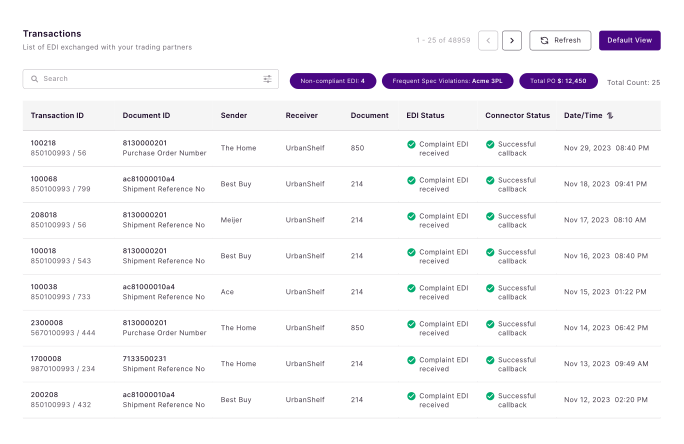
Unified, Smart & Effortless. Everything you need to manage Odoo EDI from one place.
Odoo EDI in the Real World EDI automation that scales with your trading network Explore real customer stories showing faster go-live, fewer manual steps, and cleaner EDI operations.
Odoo EDI in the Real World
EDI automation that scales with your trading network
Explore real customer stories showing faster go-live, fewer manual steps, and cleaner EDI operations.
View case studiesWe Handle the EDI. You Run the Business. Process Care and Partner Care.
We Handle the EDI. You Run the Business.
- ConfigTestMonitorFix
Process Care
Configuration, testing, monitoring and troubleshooting.
- RequirementsMappingsConnectivity
Partner Care
Trading partner requirements, mappings and connectivity.
Zenbridge + Odoo FAQs
Find answers to common questions about Odoo EDI integration, setup, documents, and partner connectivity with Zenbridge.
Zenbridge + Odoo FAQs. Find answers to common questions about Odoo EDI integration, setup, documents, and partner connectivity with Zenbridge.
What is Odoo EDI integration?
Odoo EDI integration connects your Odoo ERP to trading partners so business documents like purchase orders, invoices, ASNs, and inventory updates exchange electronically—without manual entry or custom one-off scripts.How does Zenbridge Odoo EDI integration work?
Zenbridge provides a pre-built Odoo connection and an EDI layer that maps, validates, routes, and exchanges documents. Odoo events and workflows become EDI transactions automatically, while partner-specific rules stay outside your ERP.Does Odoo have built-in EDI?
Odoo does not include a complete EDI network, partner onboarding, and multi-protocol exchange layer out of the box. Zenbridge adds that EDI layer so you can connect partners and automate documents without rebuilding EDI inside Odoo.How long does it take to set up Odoo EDI with Zenbridge?
Most standard Odoo EDI setups go live quickly with Zenbridge’s pre-built connectivity and managed onboarding. Timeline depends on partner count, document types, and testing requirements.Which EDI documents can Zenbridge automate with Odoo?
Zenbridge commonly automates order-to-cash and related flows with Odoo, including EDI 850 (orders), 855 (acknowledgments), 810 (invoices), 856 (shipments/ASNs), and 846 (inventory).Can Zenbridge handle different trading partner requirements for Odoo?
Yes. Each partner can use different mappings, documents, formats, and protocols. Zenbridge manages those rules in one EDI layer so your Odoo workflows stay consistent.What EDI formats and protocols does Zenbridge support for Odoo?
Zenbridge supports common formats such as X12, EDIFACT, and XML, and protocols such as AS2, SFTP, and FTP—so you can meet partner connectivity requirements without changing Odoo.Do I need technical skills to use Zenbridge for Odoo EDI?
No. Zenbridge handles configuration, testing, monitoring, and partner connectivity through Process Care and Partner Care, so your team can keep running the business in Odoo.
.3s-z-biktbgmq.svg)
